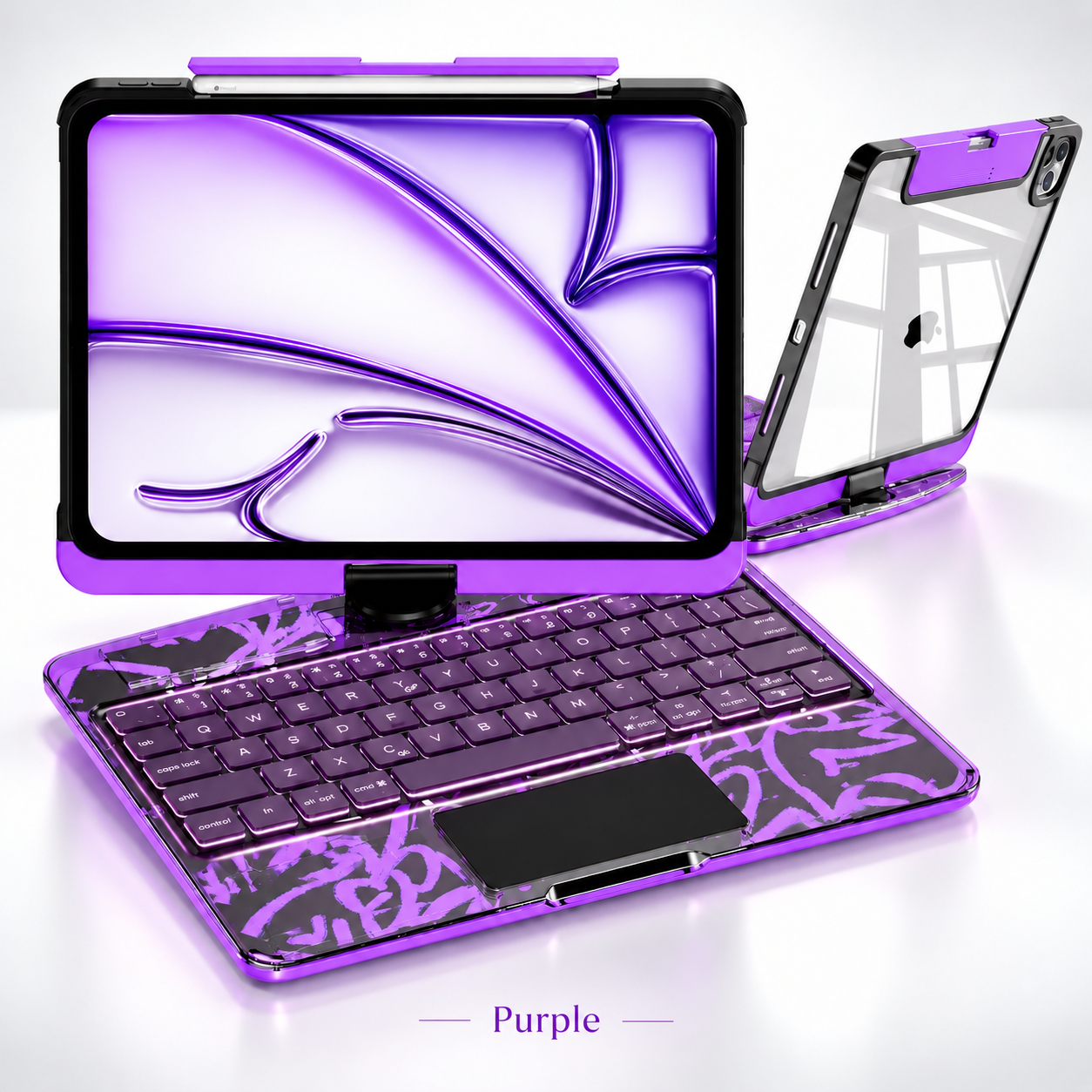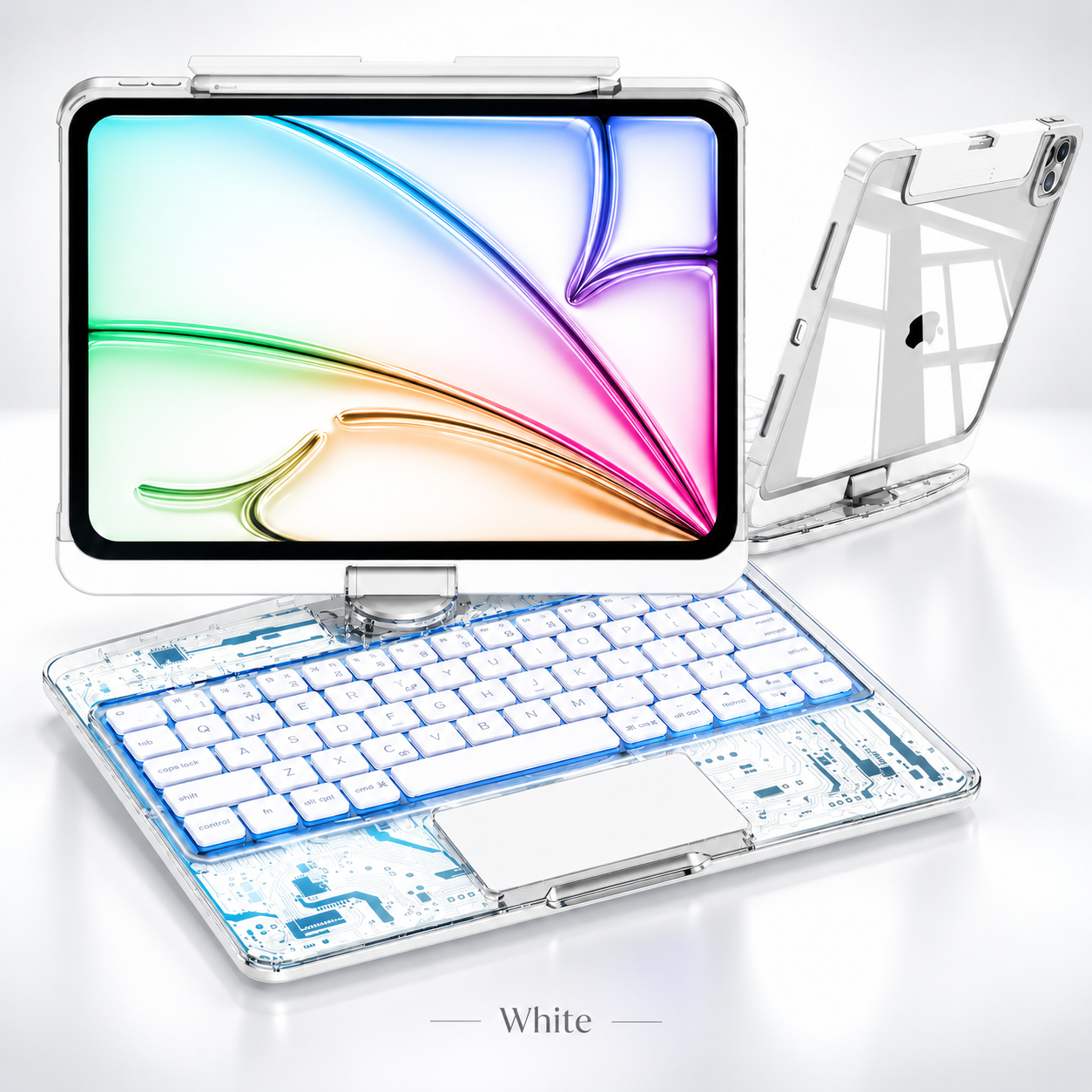
360 degree rotating tablet keyboard case
360° ROTATING KEYBOARD CASE

One Case. Every Angle.

Turn your tablet into a smarter everyday setup for work, study, browsing and entertainment.
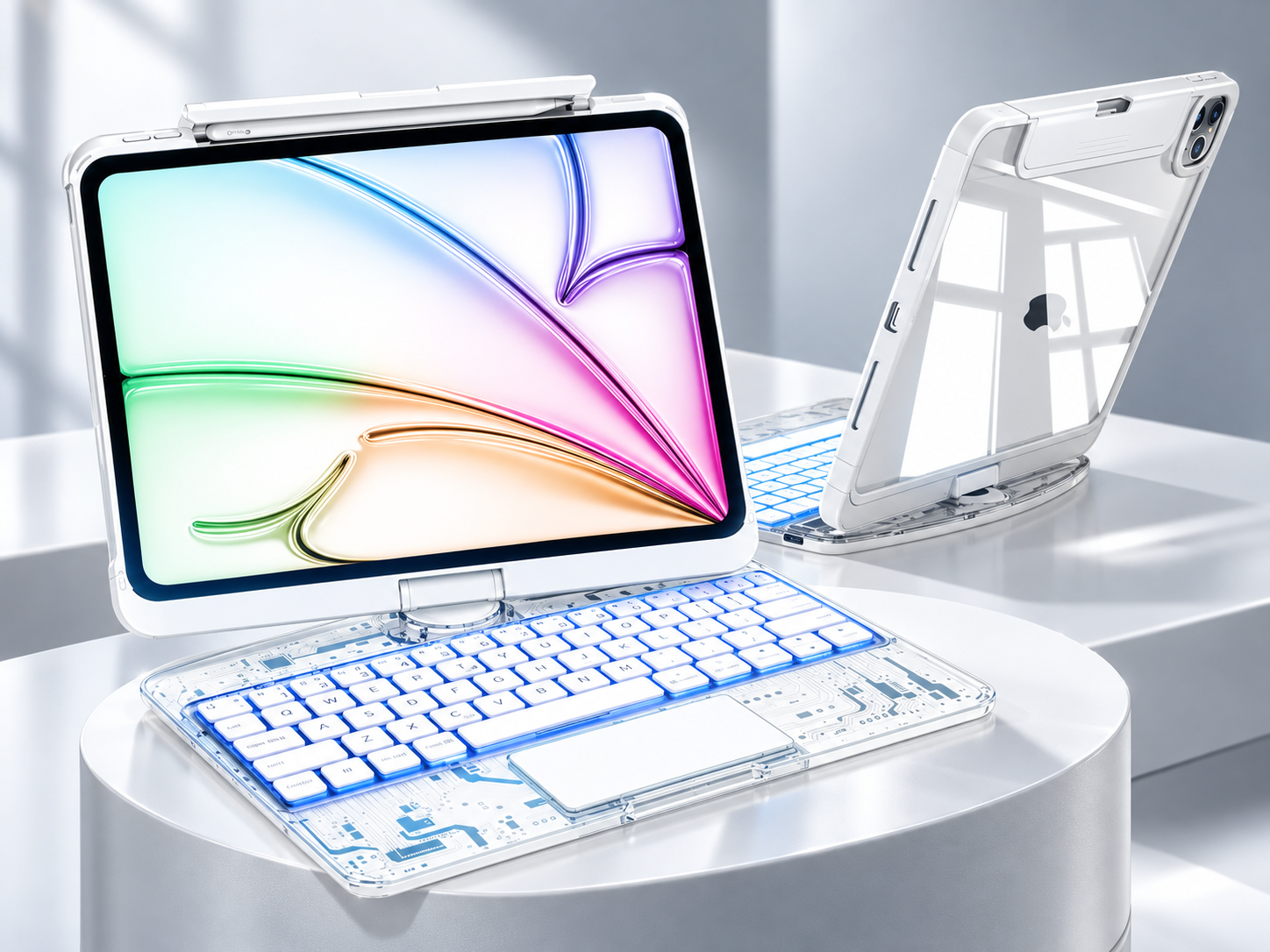
360° Flexible Rotation
7-Color Backlit Keyboard
Multi-Touch Built-In Trackpad
Available in 5 Colors
01
360° Flexible Rotation

Adjust the screen for typing, viewing, study and entertainment.

02
Comfortable Backlit Typing

7-color lighting with 3 brightness levels for day or night.

03
Built-In Multi-Touch Trackpad

Click, scroll, zoom and navigate without reaching for the screen.

04
Everyday Protection

An integrated case keeps your tablet, keyboard and essentials together.

360 degree rotating tablet keyboard case for work study and entertainment
MORE WAYS TO USE YOUR TABLET

Built Around Your Everyday.

One flexible setup gives you more freedom to type, browse, watch and work throughout the day.

01
Rotate. Adjust. Keep Going.

Move between typing, viewing and presentation angles with the 360° rotating hinge.

02
More Natural Control

The built-in trackpad makes everyday navigation feel faster and more precise.

03
Ready Day or Night

Adjustable backlighting helps keep the keyboard easy to use in different environments.
360° Rotation
7-Color Backlight
Multi-Touch Trackpad
5 Colors Styles
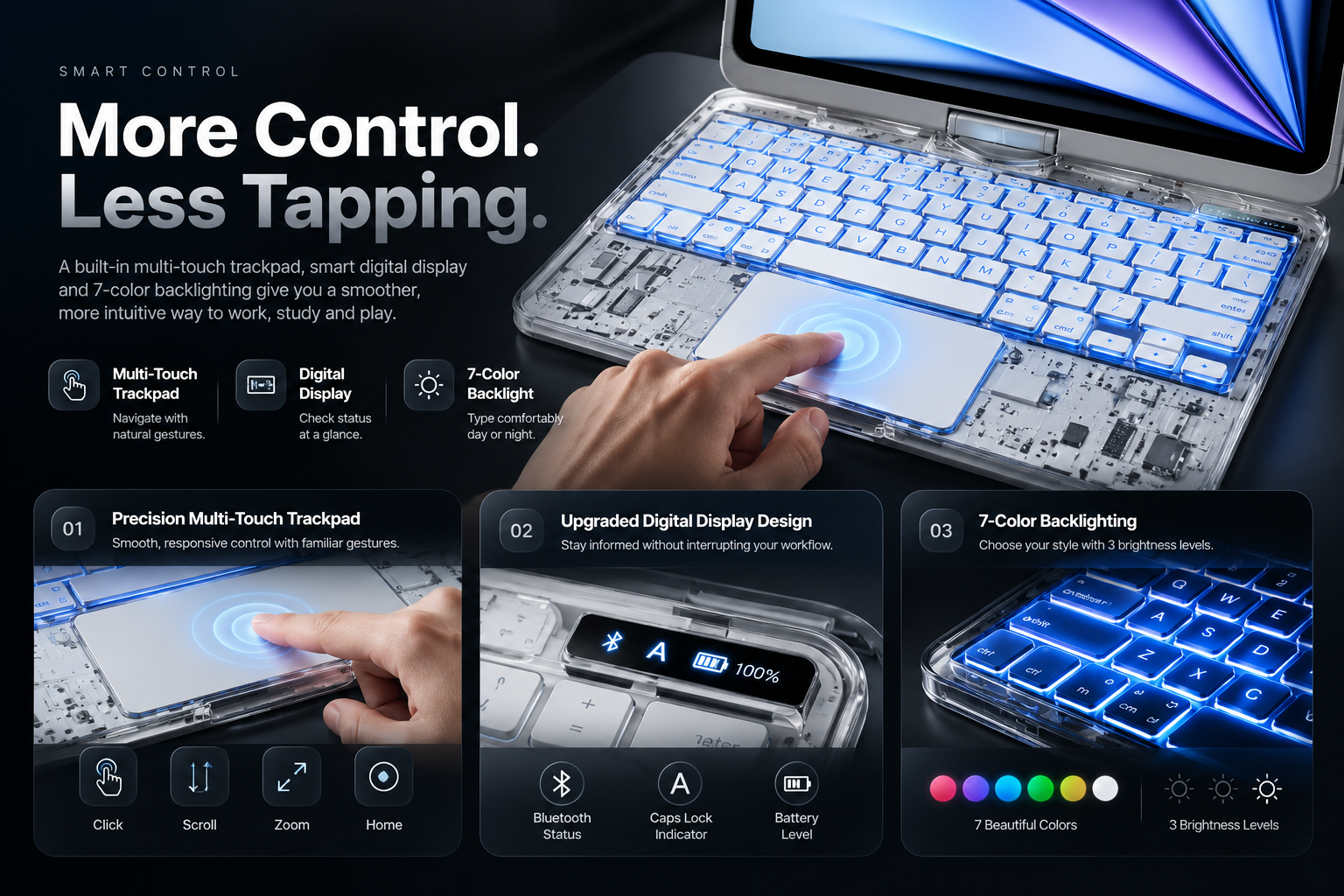
Smart control keyboard case with trackpad and status display
SMART CONTROL

Smart Control. Built Right In.

Everything you need for faster navigation, better visibility and a more desktop-like tablet experience.

01
Multi-Touch Trackpad Gesture Control

Click, scroll, zoom and switch between apps without constantly touching the screen.

02
Smart Status Display At a Glance

Quickly check Bluetooth connection, Caps Lock status and battery information.

03
7-Color Backlighting 3 Brightness Levels

Adjust the keyboard lighting for low-light work, study or travel.
Click Quick Select
Scroll Move Naturally
Zoom Pinch Control
Switch Apps Faster Workflow
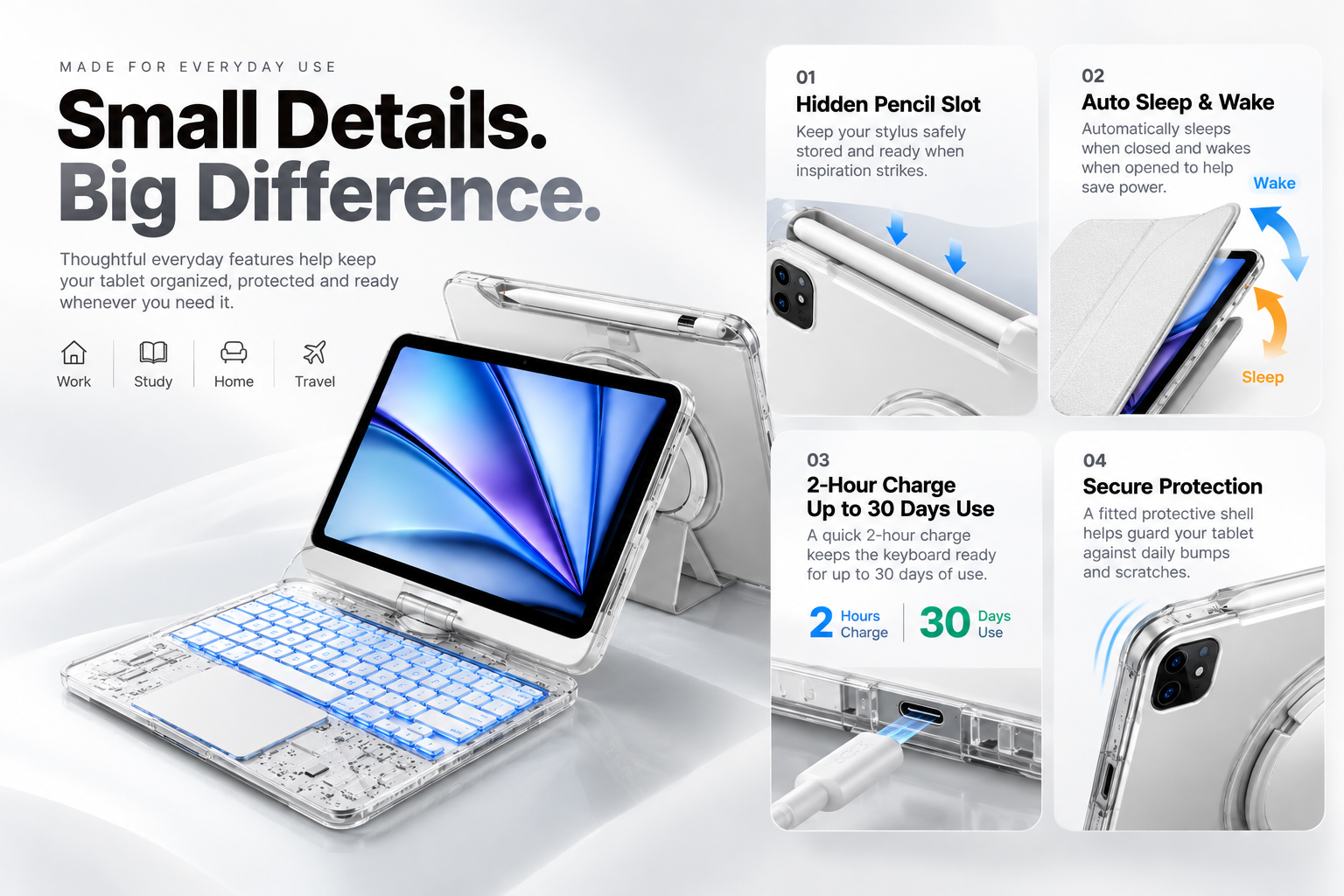
Everyday details of the rotating keyboard case
EVERYDAY DETAILS

Practical by Design. Ready for Every Day.

Small details make a big difference when your tablet becomes part of your everyday work, study and travel routine.

01
Everything Stays Together

Hidden stylus storage keeps your compatible pen close without adding extra clutter to your setup.

02
Less Charging. More Using.

Approx. 2-hour charging helps keep the keyboard ready for everyday work, study and browsing.

03
Protection Without the Clutter

The integrated case helps protect your tablet while keeping the keyboard, trackpad and rotating hinge together.

≈2 Hours Charging Time
Up to 30 Days Extended Use
Work Stay productive
Study Type and research
Home Browse and relax
Travel One setup to go
FIVE COLORS

Five Colors. One Smarter Setup.

Choose the transparent color that fits your everyday setup. Same rotating design, keyboard and trackpad in every finish.
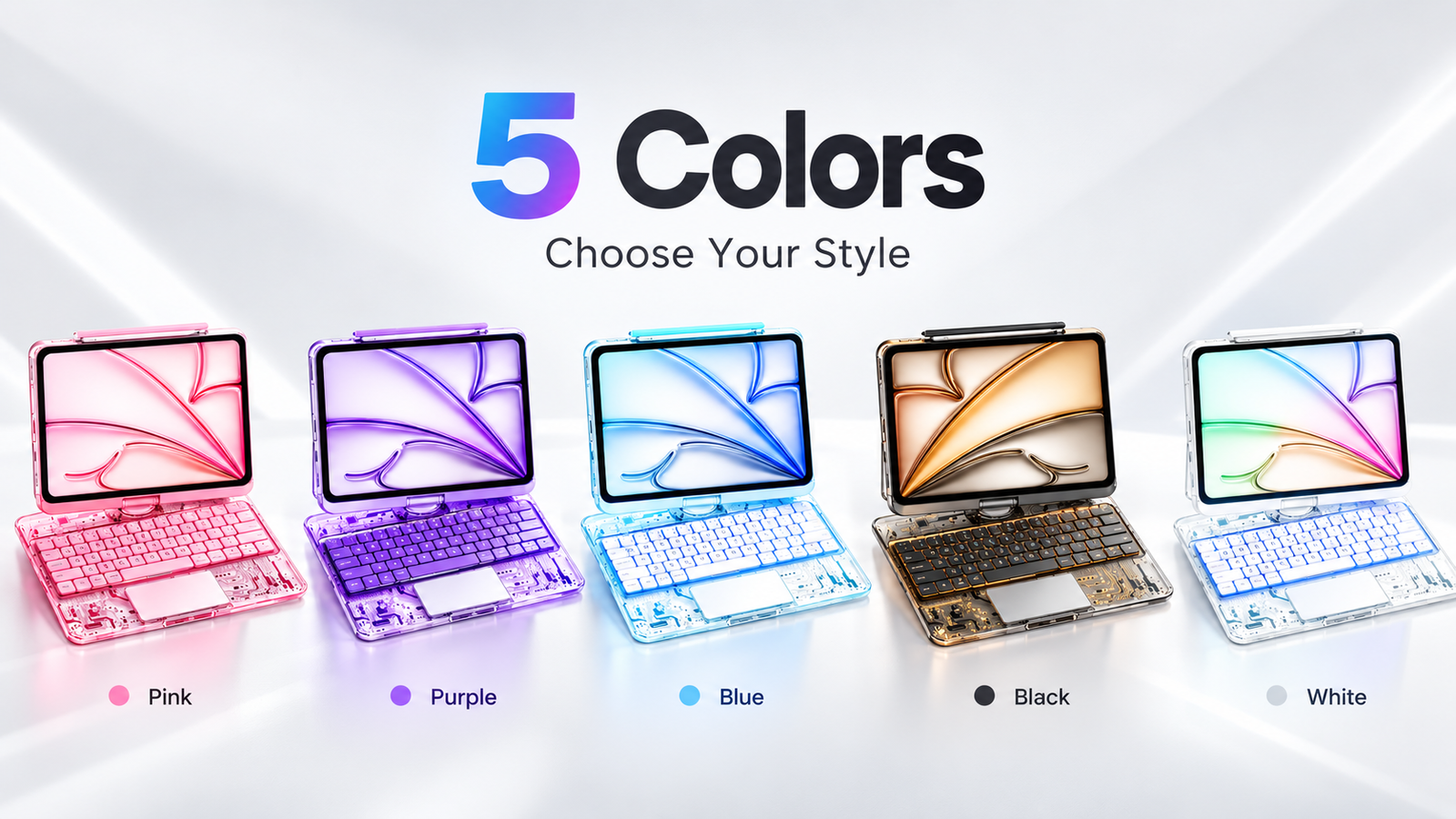
Five transparent rotating keyboard case colors
SELECTED All 5 Colors
360° Flexible Rotation
7-Color Backlight
Multi-Touch Trackpad
5 Colors Transparent Styles
BEFORE YOU BUY

Check the Fit. Then Choose Your Style.

Tablet models can look similar while using different camera, button and connector layouts. Check your exact model before ordering.

01
Find Your Model

Check the model name or model number in your tablet settings.

02
Match the Version

Make sure the case matches the correct generation and layout.

03
Ask If Unsure

Confirm compatibility before ordering if you're not certain.

!
Quick Tip

Don't choose by screen size alone. Different tablet generations may use different camera, button and connector positions.

FAQ

Five Questions That Matter.

Check your tablet's exact model name or model number before ordering. Screen size alone is not enough because different generations can use different layouts.

Yes. The keyboard, trackpad, rotating hinge and protective shell add more weight than a basic tablet cover.

The rotating hinge is designed for switching between typing, viewing and presentation angles during everyday use.

Charging takes approximately 2 hours under normal charging conditions.

Confirm your exact tablet model before ordering. If you're unsure, check the model information in your device settings first.