ZENVORIGOODS / TECH & ELECTRONICS / USB-C
FOUR CONFIGURATIONS
SMARTER CONNECTIVITY

USB-C Docking Stations.

One connection. More possibilities. Expand your workspace with four USB-C hub configurations designed for productivity, travel and connected desk setups.

SELECTED CONFIGURATION $25.99
USD
Choose Your Configuration 04 OPTIONS

Selected: Basic · 5-IN-1

SKU: ZVG-DOCK-5IN1

Ready to Connect? Choose quantity

Four Configurations 5 / 7 / 10 / 12-IN-1
USB-C Expansion For compatible host devices
Display Connectivity Host video support required
Power Delivery Depends on selected model
02 / PRODUCT DETAILS

A Closer Look at Every Connection.

Designed to make everyday connectivity more convenient. Explore the available configurations and discover how a USB-C hub can fit into your setup.

UNDERSTANDING YOUR HUB

More Ports. Less Clutter.

From a streamlined mobile workstation to a more connected desktop, a USB-C hub brings compatible devices and accessories together through a single host connection. Choose the configuration that matches the ports and functions you actually need.

USB-C Expansion

Add convenient access to the supported connections on your selected hub model.

Display Connectivity

Connect a compatible external display using the video connection available on your chosen model. Host video-output support is required.

Power Delivery

Supported charging functions depend on the selected model, power adapter, connected devices and host capabilities.

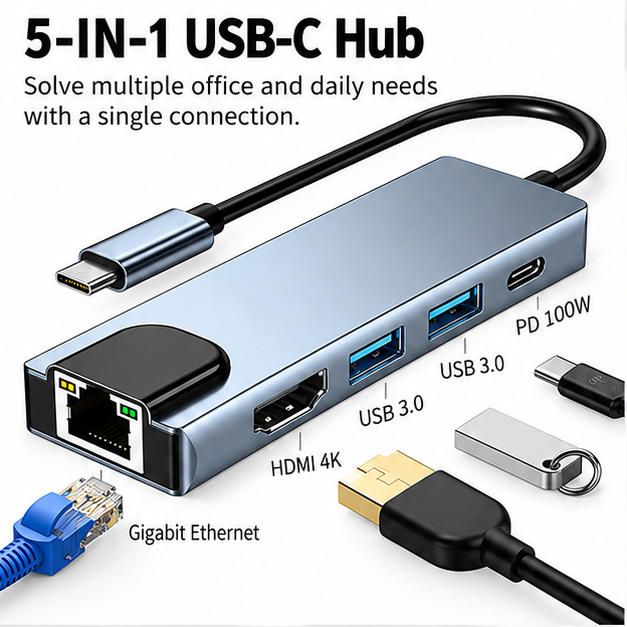
Basic · 5-IN-1

A compact option for users who want essential connectivity in one hub.

01 / CONNECT

One USB-C Connection

Create a convenient connection point for supported accessories through your compatible USB-C host.
02 / EXPAND

Multiple Configurations

Four hub options let you choose the connection arrangement that fits your workspace.

03 / SIMPLIFY

A Cleaner Workspace

Keep your commonly used connections accessible in a more organized desktop or travel setup.

Port availability and supported functions vary by configuration. Video output, charging and device compatibility depend on the selected hub and connected equipment.

03 / DEVICE COMPATIBILITY

Connect with Confidence.

USB-C ports may look the same, but their capabilities can be different. Understand the key requirements before selecting your docking station.

YOUR CONNECTION CHECKLIST

Will It Work With Your Setup?

Check the capabilities of your laptop, tablet or other USB-C host device. Select each item as you confirm it.

Start by confirming the capabilities you need for your intended setup.
KNOW YOUR USB-C PORT

Not All USB-C Ports Work the Same Way.

The USB-C connector describes the physical port shape, not every function the port supports. Video, charging and data features depend on the host device, hub configuration, software and connected equipment.

Data & Accessories Available transfer speeds and connected devices depend on the hardware involved.
External Displays HDMI or VGA output requires compatible host video capabilities. Multiple connectors do not necessarily mean multiple independent displays.
USB-C Charging A PD input rating does not guarantee the same wattage is delivered to the laptop. Actual power depends on the system.
PRACTICAL CONNECTION SCENARIOS

Designed Around Your Workflow.

01 / LAPTOP

Laptop Workstations

Connect compatible peripherals through a supported USB-C host port.

02 / DISPLAY

External Displays

Use supported video outputs when your device and selected hub allow.

03 / ACCESSORIES

Everyday Accessories

Keep compatible USB devices and desktop peripherals within reach.

04 / POWER

Power & Charging

Plan your power setup using the actual capabilities of all connected equipment.

04 / EVERYDAY WORKSPACES

Built for
Your Workspace.

Every setup is different. From your everyday desk to flexible workspaces and travel, the right connections help make your routine more convenient.
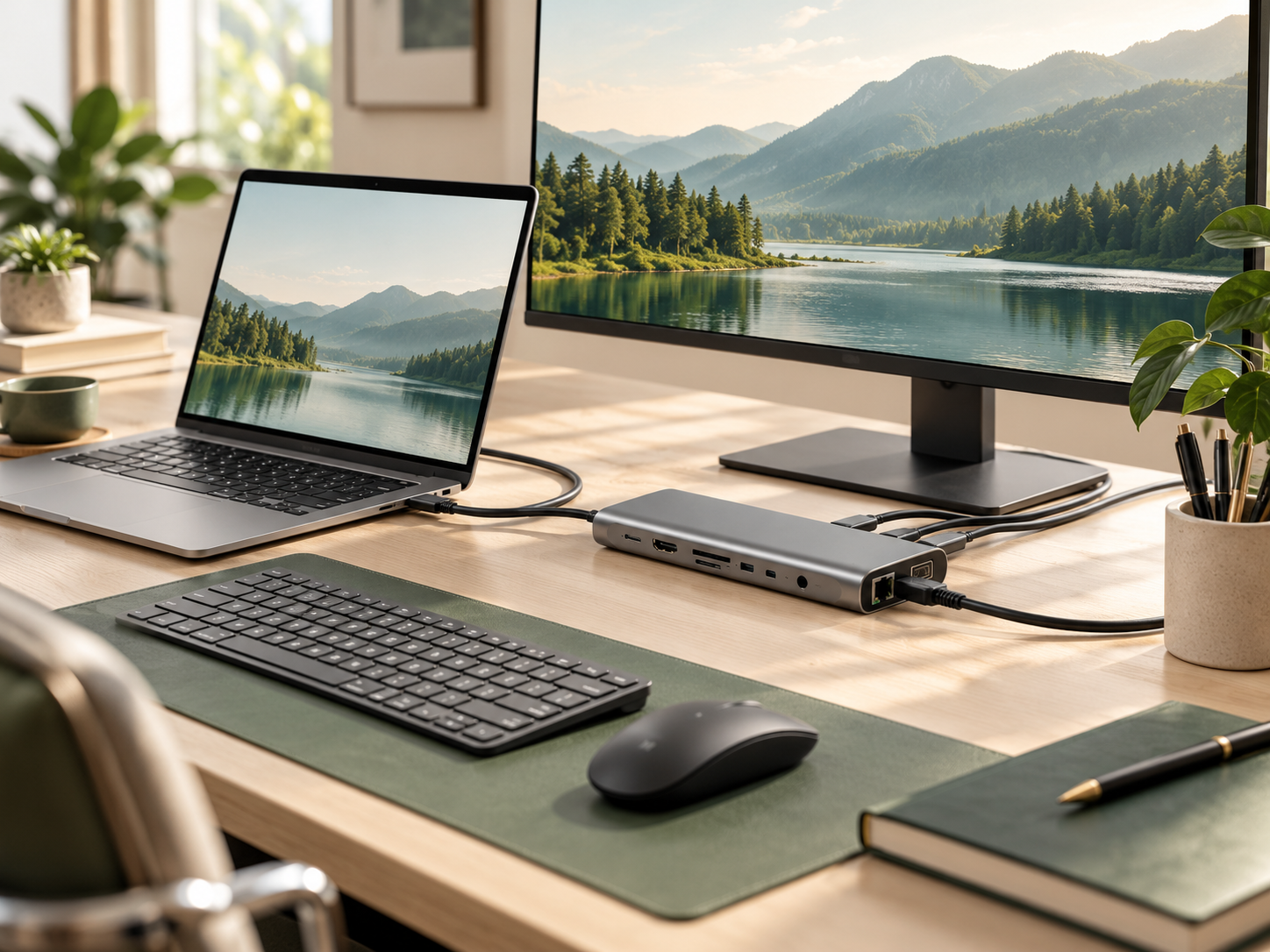
USB-C hub modern desktop setup
01 / EVERYDAY DESK

A Better Way to Stay Connected.

Bring your essential accessories and compatible display connections together in a more convenient workspace.
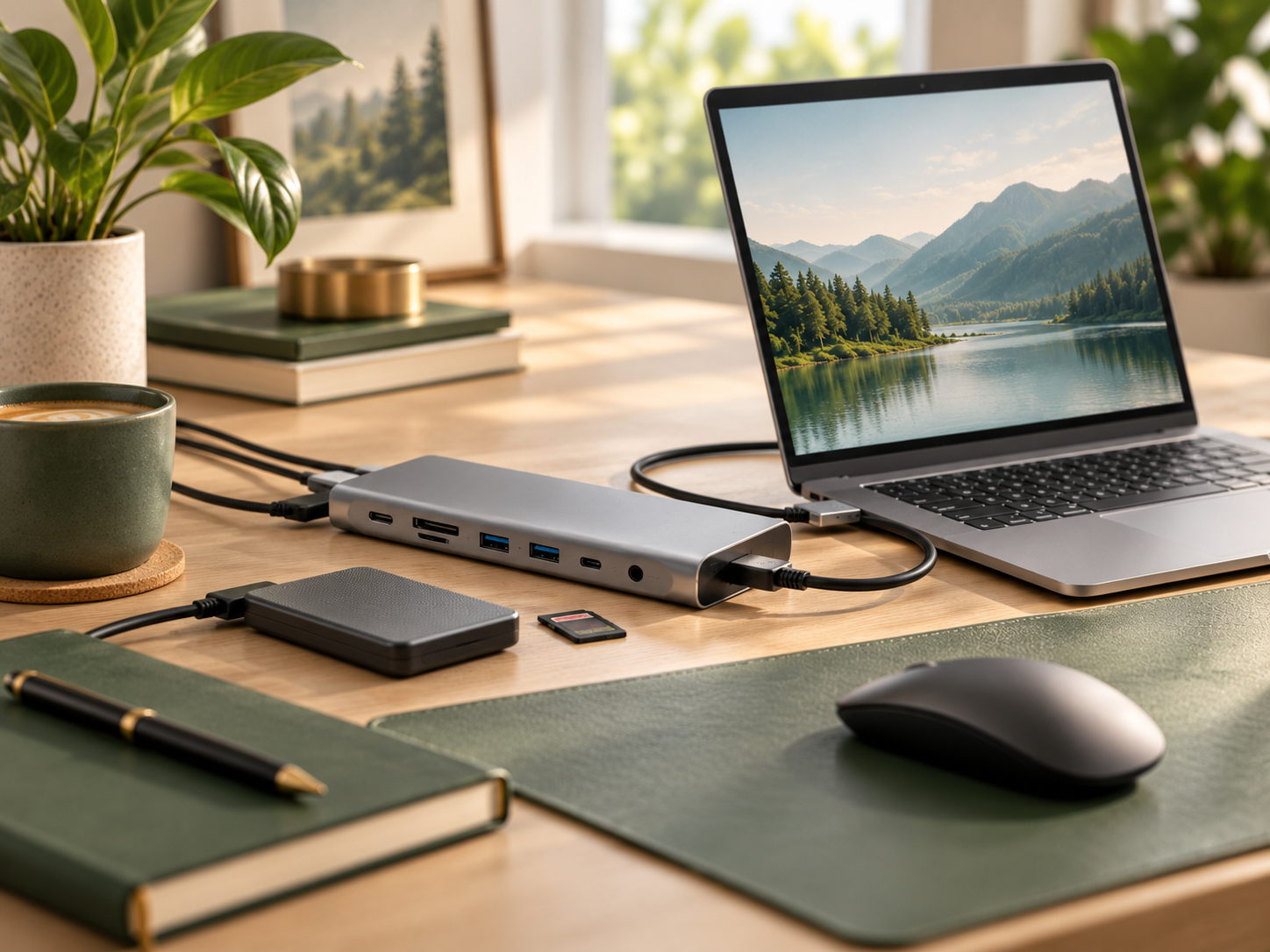
Desk Setup USB Accessories Displays
USB-C hub home workspace
FLEXIBLE WORKSTATIONS

Make Room for More.

Keep everyday accessories accessible with the hub configuration that fits your workspace.
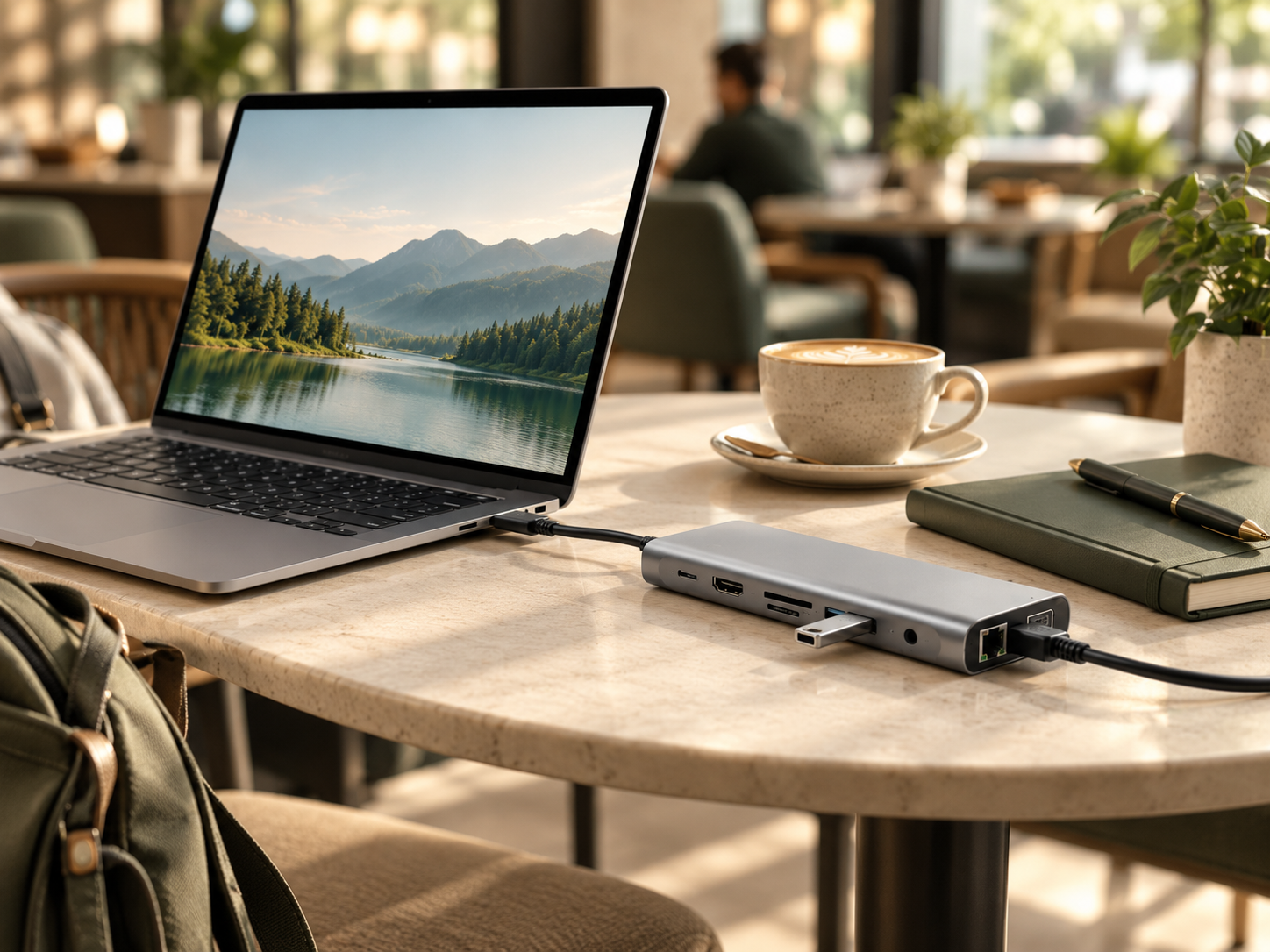
USB-C hub portable cafe workspace
WORK BEYOND THE DESK

Take Your Setup Along.

Stay ready for compatible connections wherever your work takes you.

◎
Make Your Setup Work for You

Illustrative use cases. Connectivity, charging and display support vary by model and host device.

05 / PORTS & CONNECTIVITY

More Connections.
Less Complexity.

Expand your workspace with the connections that matter. Explore display output, USB accessories, storage, wired networking and USB-C Power Delivery across our docking hub configurations.

CONNECTION 01

HDMI Display

Connect a compatible external monitor for presentations, work or entertainment. Resolution support varies by model and host.

CONNECTION 02

USB Accessories

Connect compatible keyboards, mice, USB drives and other everyday accessories through available USB ports.

CONNECTION 03 / POWER DELIVERY

100W USB-C PD Charging

Keep your compatible laptop powered while using connected accessories. Supported models accept up to 100W PD input for pass-through charging.

UP TO 100W PD INPUT
CONNECTION 04

SD / TF Card Reader

Transfer photos and files from compatible memory cards using models equipped with card readers.

CONNECTION 05

Wired Ethernet

Access compatible wired networks on hub configurations equipped with an RJ45 Ethernet port.

CONNECTION 06

3.5mm Audio

Connect compatible wired audio accessories through the 3.5mm audio port on supported models.

POWER DELIVERY TECHNOLOGY

Connect More.
Keep Charging.

With USB-C Power Delivery pass-through, a compatible PD charger connects to the hub's dedicated PD input, allowing supported laptops to receive power while the hub connects other devices. Charging performance depends on the hub, charger, cable and host device.

UP TO 100W USB-C PD INPUT
PD Charger USB-C Power
→
USB-C Hub PD Pass-Through
→
Laptop Compatible Host
Compatibility & Charging Note: Not every model includes every listed port. 100W refers to the maximum supported PD input on applicable models, not guaranteed power delivered to a laptop. Actual output is reduced by the hub's power consumption and depends on charger capacity, cable rating and device compatibility. Display and data functions may also vary by host device.
06 / HOW IT WORKS

Three Steps.
Ready to Connect.

Setting up your USB-C hub is simple. Connect it to a compatible device, add the accessories you need, and use USB-C Power Delivery where supported. Enjoy convenient connections without unnecessary complexity.

STEP 01

Connect Your Hub.

Plug the hub's USB-C connector into a compatible USB-C port on your laptop or other supported host device.

STEP 02

Add Your Devices.

Connect supported accessories such as keyboards, mice, external storage or compatible displays through available ports.

STEP 03

Connect PD Power.

On supported models, connect a compatible USB-C PD charger to the dedicated PD input for pass-through charging.

✓
Simple Connections. Everyday Convenience.

Connect your compatible devices in three simple steps. Available features depend on your USB-C hub configuration and device compatibility.

07 / SHOP WITH CONFIDENCE

Good Products.
Clear Support.

Shopping online should feel straightforward. From order preparation to delivery information and after-sales assistance, we want you to know what to expect at every stage of your purchase.

01 / PREPARATION

Order Processing

Please allow up to 7 business days for order processing before shipment. Processing time is separate from the delivery transit period.

02 / DELIVERY

Shipping Updates

Shipping details and available tracking information help you follow your order. Actual delivery times depend on the destination and shipping service.

03 / ASSISTANCE

Customer Support

Have questions about your order or product compatibility? Contact our support team for assistance with available product and order information.

04 / AFTER-SALES

Return Guidance

If you experience an issue with your order, contact us for guidance. Eligibility and procedures follow our published return and warranty policies.

Know What to Expect Before You Order.

Review the product specifications, shipping information, return conditions and warranty terms before completing your purchase. Product support and eligibility depend on the applicable policies.

08 / FREQUENTLY ASKED QUESTIONS

Questions?
We've Got Answers.

Before choosing your USB-C hub, it helps to understand compatibility, charging, display output and everyday use. Here are answers to common questions to help you make an informed decision.

Check Your Device Before Ordering

A USB-C connector alone does not guarantee support for every feature. Video output, power delivery and data transfer depend on your host device and selected hub model.

Will this USB-C hub work with my laptop?

Compatibility depends on your laptop's USB-C capabilities and the selected hub configuration. Basic USB data functions may work on compatible USB-C ports, while video output and charging require additional device support. Check your laptop specifications before ordering.

Is it compatible with MacBook and Windows laptops?

USB-C hubs can work with supported MacBook and Windows devices, but available features vary by laptop model, operating system and USB-C port capabilities. Some display configurations may have additional platform-specific limitations.

Does 100W PD mean my laptop receives 100W?

No. On models supporting 100W Power Delivery, this rating generally refers to the maximum supported PD input. The hub uses some power itself, so actual power delivered to your laptop may be lower. Charging also depends on your power adapter, USB-C cable and laptop requirements.

Can I connect an external 4K monitor?

Certain hub configurations support 4K HDMI output when connected to compatible host devices. Maximum resolution and refresh rate depend on the selected model and your device's video output capabilities. Do not assume 4K at 60Hz unless explicitly stated in the product specifications.

Can I connect two external monitors?

Multiple-monitor support depends on the specific hub's video outputs and the host device's capabilities. Some laptops and operating systems limit independent external display output. Confirm the exact supported configuration before purchasing.

Do I need to install drivers?

Many standard USB accessories and supported USB-C hub functions operate without additional drivers. However, some advanced functions or specialized display technologies may require drivers or software. Always follow the instructions for your specific hub model.

Can I use PD charging and other ports together?

Supported hubs can provide USB-C PD pass-through charging while compatible data and accessory ports are in use. Actual charging power and overall performance depend on the hub, power source and connected devices.

What should I do if the hub does not work as expected?

First, verify the host device's USB-C capabilities, check cable connections and confirm that the connected accessories are compatible. If the problem continues, contact ZENVORIGOODS customer support with your order details and a description of the issue for further assistance.

How long does shipping take?

Please allow up to 7 business days for order processing before shipment. Delivery transit time is additional and varies by destination, carrier and shipment conditions. Refer to the applicable shipping policy for further information.

What if I need to return my order?

Please contact customer support with your order information and reason for the return request. Eligibility, return procedures and any applicable costs follow our published Return & Refund Policy.

THE ZENVORIGOODS APPROACH

Make Every Connection
Count.

Technology should make everyday life easier, not more complicated. At ZENVORIGOODS, we focus on practical solutions that help you connect, work and create with greater convenience.

ZENVORIGOODS
Practical Technology for Everyday Living